The “Where-Used” in Visual Studio Code is nice, but not always productive. Today I wanted to see where a field was used and came up with an alternative I wanted to share.
ObsoleteState
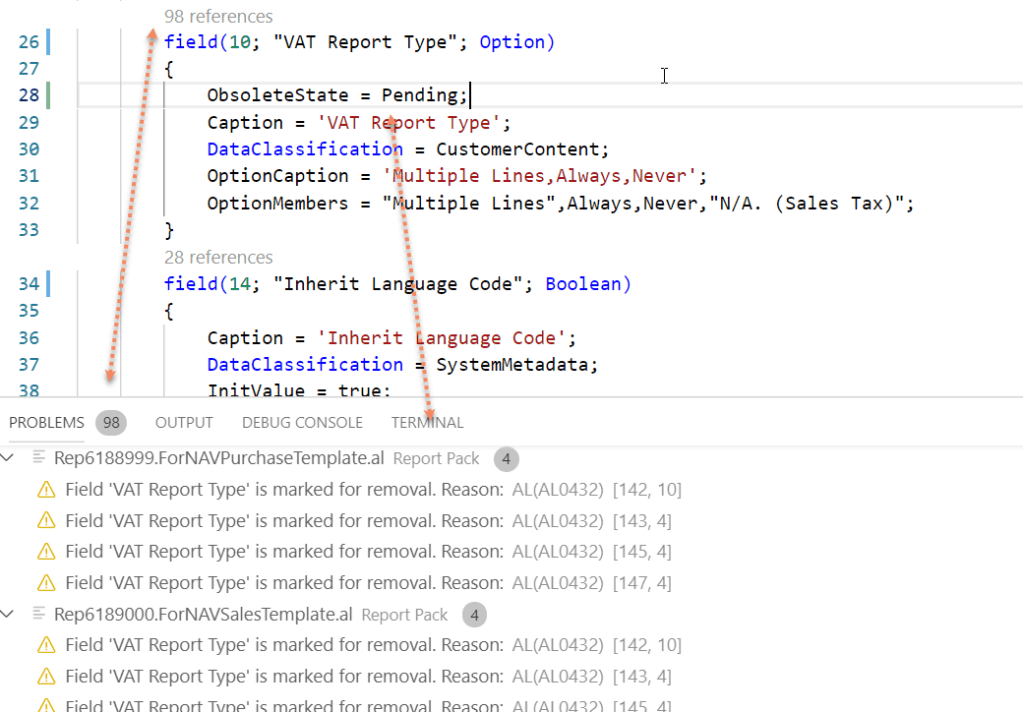
If you mark a field ObsoleteState::Pending the compile will throw warnings everywhere the field is used. This allows you to quickly use the error window to jump through the code and check whatever you want to check.
When finished you set the obsolete state back.
 Marije...
One response to “Tip #62 | “Where-Used” in Visual Studio Code”
[…] Tip #62 | “Where-Used” in Visual Studio Code […]
LikeLike