Blogging for me has always been about finding inspiration, the interaction with the audience and clearing my mind… checking my sanity.
One of my rules always was… if I have to search for it, it’s worth blogging about… chances are someone else also doesn’t know.
And what if I am wrong? Incomplete? What if someone says… Marije, you are wrong.
Well, that’s the best learning… and for everyone reading it.
In the past I’ve found a lot of inspiration in teaching. God I miss teaching.
Nowadays I spend a full work week at the same project.
Who knows… maybe… hey… I am not even 50 yet. (Getting close though).
So… No. Series?
Number Series is one of the oldest features in the Business Central product. If I am not mistaken, it was introduced in Navision Financials 1.1 as a new feature.
I remember this because I was getting a demo of Navision as I was working for my fathers company. I could not have been much older than 20, maybe 21 and the sales person told us that this “number series” was a really cool new feature.
And it is… still today.
But… It’s also a challenge from a performance perspective.
Back in the days of Navision Financials there was no SQL Server option. Navision ran on its own database and that database had table locking and optimistic concurrency using the versioning principle. It’s very different from the way SQL Server works and we are still working with the legacy of the code base being written and designed for table locking.
So with all the applications number series in one table, it potentially isolates the entire application.
True…
Which is why, even today, most numbers are issued in super small and short transactions and in some places there is a commit right after issuing the number.
This was, in the old days, for preventing table locking.
But, we moved on… SQL Server came… first as an option and then as the only option. And we got Row Level Locking. So issuing number series is no longer a problem as the Customer Number being locked will not prevent someone else from creating a Vendor.
It took a while for this to work… those who have been with the community as long as I am will remember the stubborn “locking by neighboring” issue where the previous and next records had a change of being locked, just as the real row.
This is also not true anymore for a long, long time.
So then why is this whole “Allow Gaps” thingy introduced and why is it so cool?
So let’s circle back to the project/system I am working on today.
It’s massive… huge… it grows actually with 500GB per day… and it has A LOT of users.
If you had told me like five years ago I would be doing a job that was primarily focussed on performance tuning then I would not have believed you. But then again… I would have also not believed you if I was told I’m living as a single mom with my kids.
Anyway… I got offered the job… it was really close to my home and I said yes… and then I ended up working from home most of the time. Lol.
Transaction Isolation
People who have been in my classes will remember that I can talk forever about Transaction Isolation and how this is the biggest issue that prevents Business Central from having a lot of transactions at the same time.
Sequential numbering is the primary reason for this and it is the way the entire old Navision application is designed. The Ledger Entries, Registers and also… Number Series.
In order to guarantee having “No Gaps” each transaction is isolated.
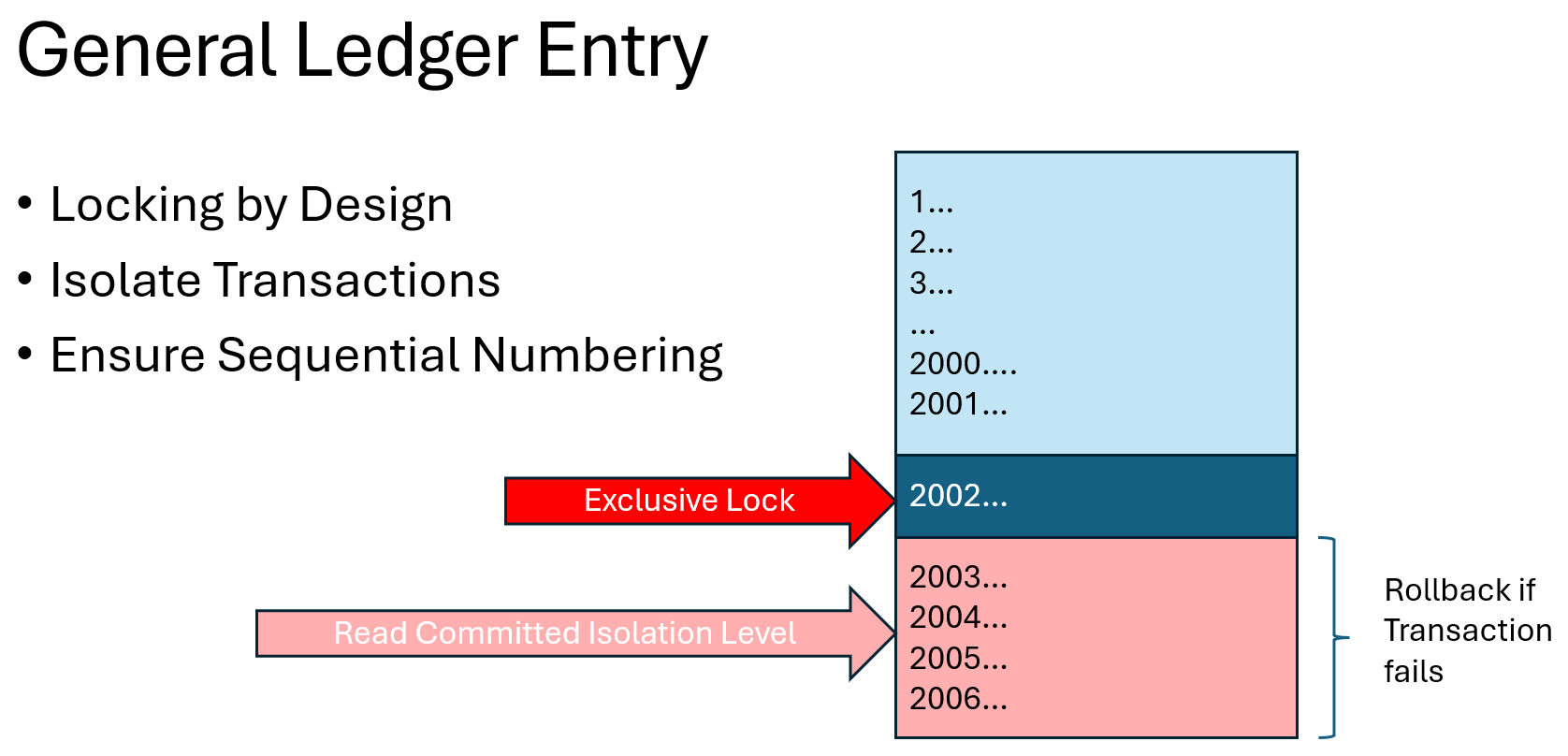
But the good news is that more and more area’s of Business Central no longer have this and I am making an educated guess that it might even completely disapear at some point in the future.
Allow Gaps
So how does this work? To be honest? It’s both incredibly complex yet super simple.
When I was a young girl starting with Navision, the code was easy to read and understand. The codebase was even translated so mine was in Dutch.
Nowadays… not so much.
My first hunch was to use the “Allow Gaps” field and trace back the code using Statical Prism… But that did not fly…
Business Foundation App
The Number Series is actually in the new Business Foundation App. The new pet from Microsoft to store generic features.
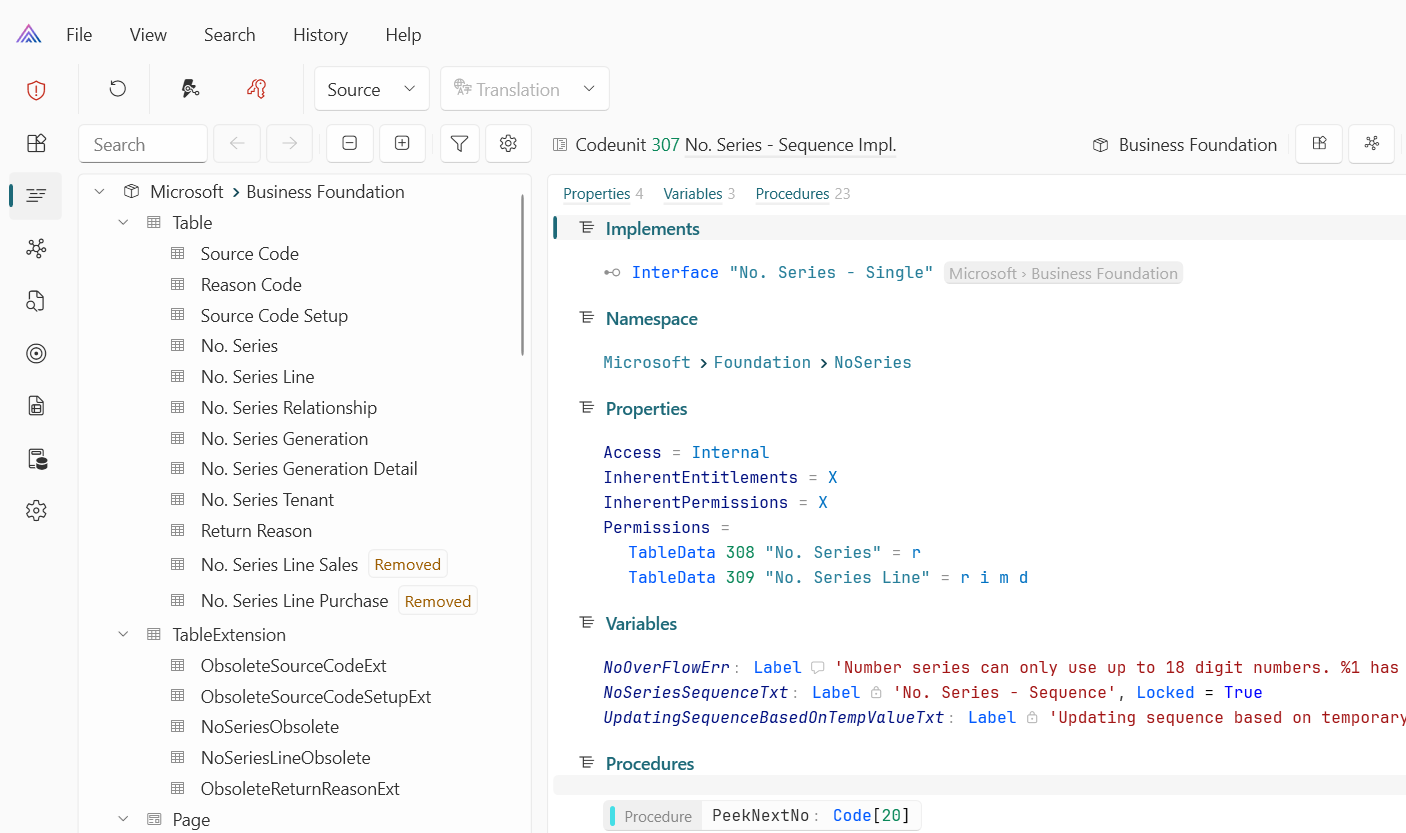
Here you can find an Enum and an Interface.
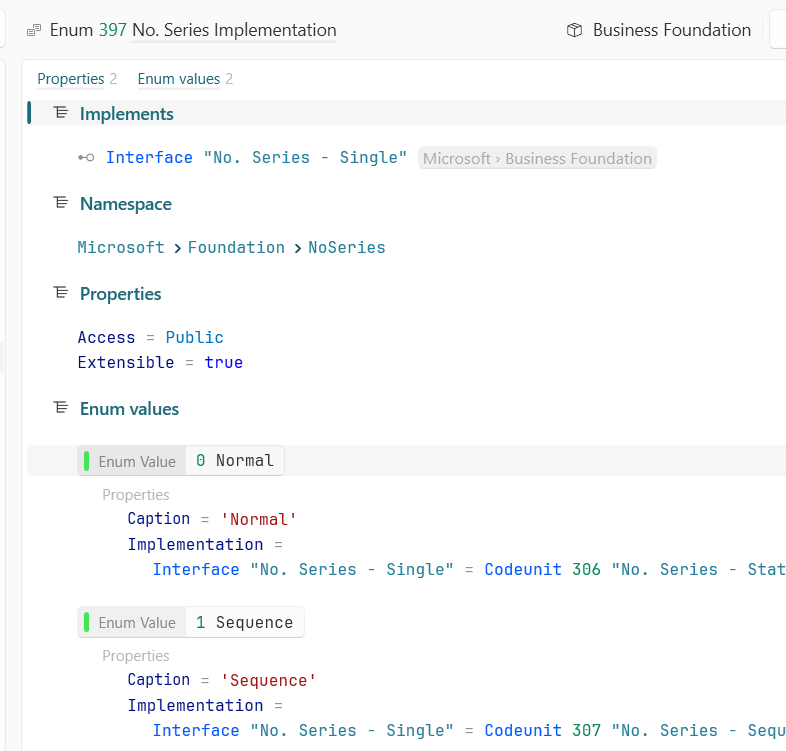
The Enum can be found in the Number Series tables and that is what decides if the old Number Series is executed or the new one. Codeunit 306 or 307
The old codeunit got simplified, but still locks the number series line record and increments it by 1 using simple AL code.
The new codeunit uses the new NumberSequence AL statment.
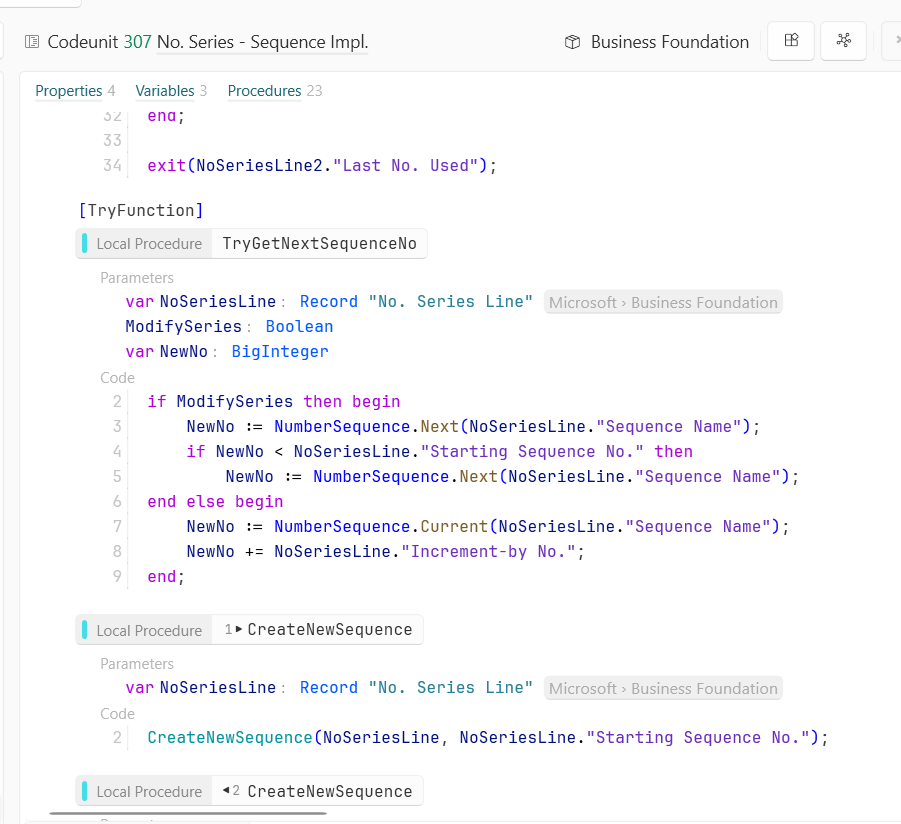
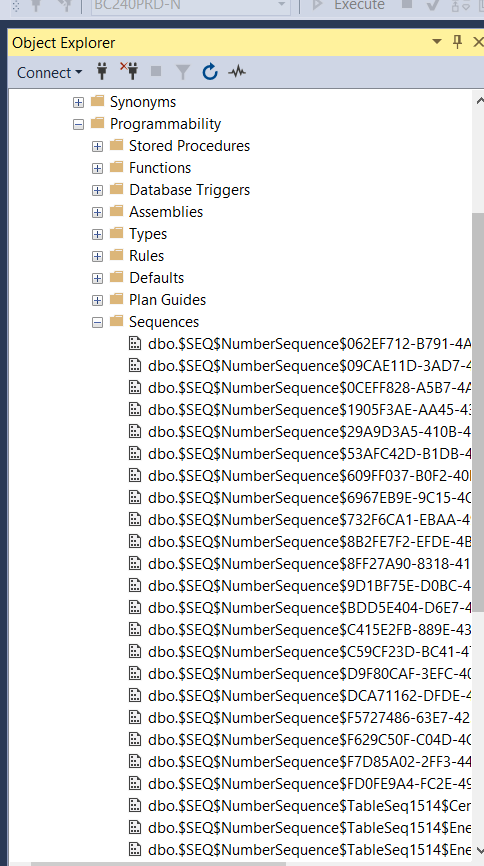
And as the article describes, you can find them in SQL Server Management Studio
So now I just flip everything to “Allow Gaps”?
Oh, you could… but sometimes transaction isolation is there for a reason, and just flipping to Allow Gaps would move you to the next problem in your code.
Also, in some cases and in some countries authorities are not so happy with gaps. Or, imagine using them for Serial Numbers… just as an example. “Where did these 10 serial numbers go?” “Oh… they were just skipped by our ERP because the transaction rolled back”
Eh… sometimes that is not a good answer, and by far… not all Number Series are locking?
So I created a “methodology” in the company I work now to determine which number series to flip.
Spoiler alert: We still run our largest database On-Prem and “methodology” is a far to fancy word but I wanted to use it nontheless.
Step 1 – Find your blockers
So since we run On-Prem I cheat here. I’ll cheat more in this article… In this case I run the “good-old” SQL Perform Tools and this gives me a good average sample of the blocks on Number Series

Step 2 – Which Number Series?
And then, Off-Course you want to know which number series are locked. For that we have this piece of T-SQL
select t.*from [Cronus BV$No_ Series Line$90baef3f-39c7-4de0-9da3-5d269ff26861] as tjoin sys.dm_tran_locks as dtlon t.%%lockres%% = dtl.resource_description;But then you’ld have to monitor the system always, so let’s have a stored procedure write samples (My colleage Simon wrote the code)
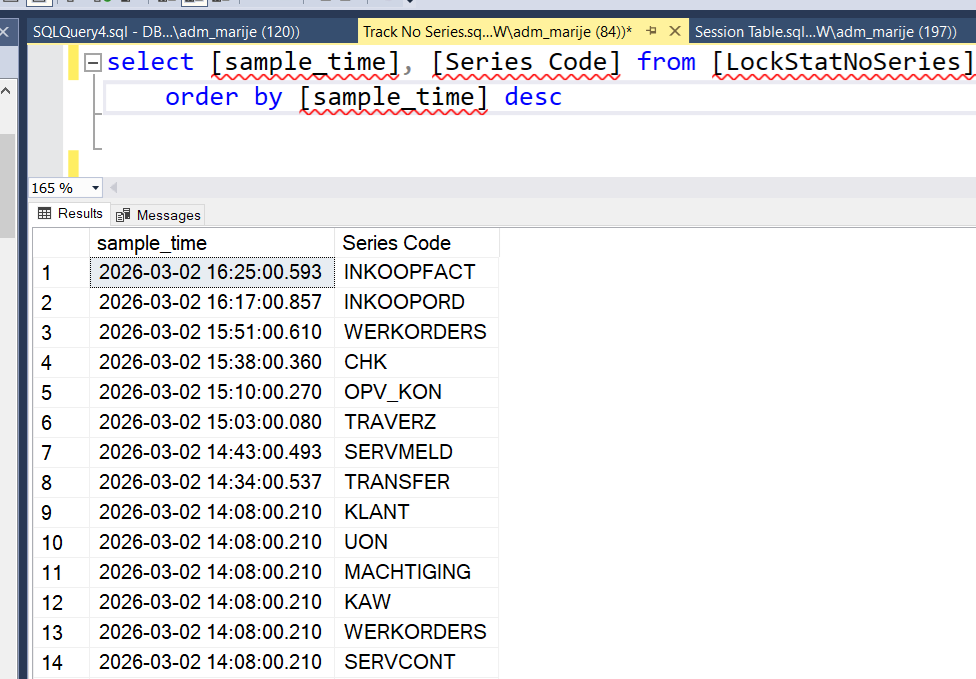
CREATE PROCEDURE [dbo].[GetLockStatNoSeries]ASBEGINSET NOCOUNT ON;INSERT INTO [dbo].[LockStatNoSeries] ( [Series Code], [Line No_], [Starting Date], [Starting No_], [Ending No_], [Warning No_], [Increment-by No_], [Last No_ Used], [Open], [Last Date Used], [$systemId], [$systemCreatedAt], [$systemCreatedBy], [$systemModifiedAt], [$systemModifiedBy], GETDATE() AS [sample_time]) SELECT t.[Series Code], t.[Line No_], t.[Starting Date], t.[Starting No_], t.[Ending No_], t.[Warning No_], t.[Increment-by No_], t.[Last No_ Used], t.[Open], t.[Last Date Used], t.[$systemId], t.[$systemCreatedAt], t.[$systemCreatedBy], t.[$systemModifiedAt], t.[$systemModifiedBy], GETDATE() AS [sample_time]FROM[Cronus BV$No_ Series Line$90baef3f-39c7-4de0-9da3-5d269ff26861] AS t WITH (NOLOCK)JOINsys.dm_tran_locks AS dtlON t.%%lockres%% = dtl.resource_descriptionENDGOAnd get the sample
Or Application Insights?
Yes, you can also run Application Insights and find the ALStackTrace that causes a long running SQL Query on the Number Series Line table.
I did both but I find direct SQL statistics more reliable. I’ll blog more about that in the near future I hope.
Eventually we flipped “Allow Gaps” on 6 out of a few dozen number series to true and this solved all of our locking issues on that table without taking a risk on number series that we did not want to have any gaps on.
 Marije...